You find hidden productivity drains with a structured audit: shadow your core processes end to end, time-track your team without judgement, and ask people what frustrates them daily. Then cost what you find. Fix the obvious ones first, duplicate data entry, communication chaos, and overlapping software, before building in quarterly reviews to stop new drains forming.
Most business owners spot obvious time wasters. Long meetings, slow software, messy filing systems. But the real productivity killers stay hidden. They lurk in daily processes your team accepts as normal.
You will find figures quoted for this, usually a percentage of operational efficiency lost. I am not going to repeat them, because the ones in circulation trace back to vendor material with no methodology attached. What I can give you is the method for measuring it in your own business, which is the only number that should change what you do.
The Real Cost of Invisible Inefficiency
Every business carries a share of work that adds nothing: rekeying, chasing, waiting, searching for something that should have been to hand. It is rarely one big thing, which is exactly why it survives.
Most business owners guess wrong about where it sits, and they guess low. The problem grows because these drains feel normal. Your team has always done things this way. Nobody questions whether the process makes sense.
The first step is accepting that every business has hidden waste. Even well-run operations collect inefficiency over time. New tools get added without removing old ones. Quick fixes become permanent. Special cases become standard rules.
Five Categories of Hidden Productivity Drains
Productivity drains follow clear patterns. Knowing these categories helps you spot problems faster. Here’s where most SMBs lose time without knowing it.
Communication Fragmentation
Harvard Business Review’s work on collaborative overload records that time spent in collaborative activities has grown by 50% or more over two decades. Communication chaos creates much of that load.
Your team probably uses email, Slack, WhatsApp, phone calls, and face-to-face talks. Each channel creates its own information island. Important details get lost between platforms. People ask the same questions many times.
Time this one before you try to fix it. Ask two people to note every occasion in a week that they went looking for information they expected to have. The fix is rarely cutting channels. It is setting clear rules about which channel handles which information.
Approval Bottlenecks
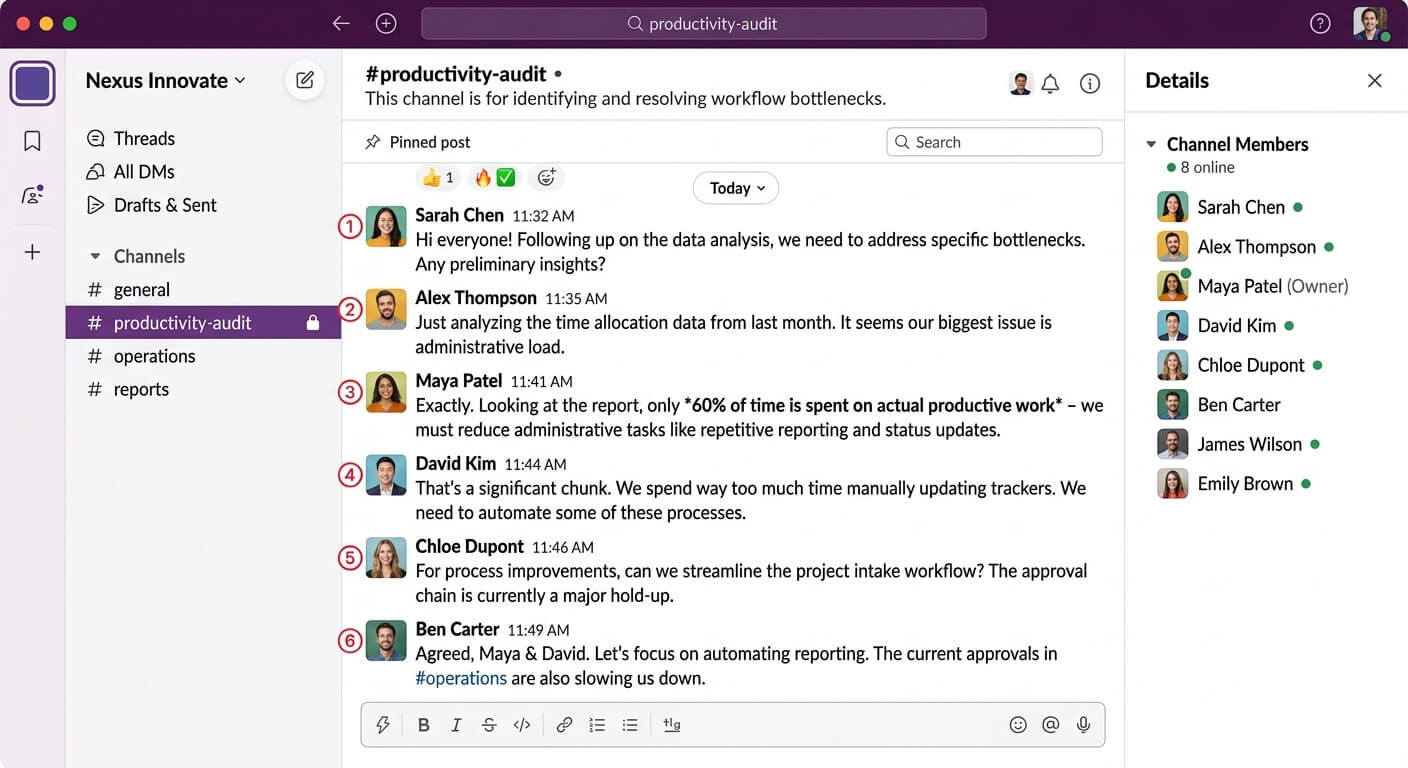
Every business needs approvals for certain choices. The problem starts when approval needs multiply without review. I’ve seen companies where a $50 expense needs three sign-offs. Where a simple client email needs manager review.
Track how long approvals actually take, not how long they are supposed to take. Time the gap between request and response across a month. The promise and the practice are usually a long way apart, and nobody discovers that without measuring it.
Manual Data Entry and Transfer
Every time someone copies information from one system to another, you pay expensive human labour for computer work. Worse, you create error chances. A customer’s details might live in your CRM, your accounting software, your email marketing tool, and your support platform.
Data silos between CRM and accounting systems create particularly expensive friction. Sales closes a deal and accounting doesn’t know for three days. By then, invoicing is already delayed.
Meeting Overload
Meetings feel productive because they involve activity. People talk, notes get taken, decisions seem to happen. But research on meeting productivity consistently shows that most meetings achieve less than participants believe.
Audit your calendar for the past month. For each meeting, ask: What decision was made? What action resulted? Could this have been an email? Be ruthless. Cancelling a recurring meeting is the cheapest experiment available to you, and it is reversible.
Context Switching Costs
Harvard Business Review studied 137 people across three Fortune 500 companies and found they toggled between applications roughly 1,200 times a day. Reorienting after those switches came to just under four hours a week, about 9% of their time at work.
That is the cost of the switching itself, before you count the work that gets done badly because nobody held a thought long enough.
How to Conduct Your Own Productivity Audit
Finding hidden drains needs systematic investigation. Here’s the approach I recommend to businesses who want useful insights, not vague observations.
Step One: Shadow Your Own Processes
Pick three core business processes. Order fulfilment, client onboarding, invoice processing. Whatever matters most to your operations. Now trace each process from start to finish. Not how it should work. How it actually works on a typical day.
Document every step. Note every handoff between people or systems. Record every wait time. Process mapping reveals bottlenecks that feel invisible during daily work. The visual representation often shocks business owners who assumed their processes were streamlined.
Step Two: Time-Track Without Judgment
Ask team members to track their time for one week. Not for performance review. For process understanding. Make it safe to report honestly. If someone spends two hours daily on tasks that feel wasteful, you need to know.
Use simple categories: client work, internal meetings, administrative tasks, communication, waiting for others, searching for information. The distribution often surprises everyone.
Step Three: Follow the Frustration
Your team already knows where the problems hide. They complain about them regularly. You’ve just learned to tune out the complaints because fixing them seemed impossible.
Run brief interviews with team members across different roles. Ask one question: What’s the most frustrating part of your daily work? The answers point directly to productivity drains. When three people independently mention the same bottleneck, you’ve found something worth fixing.
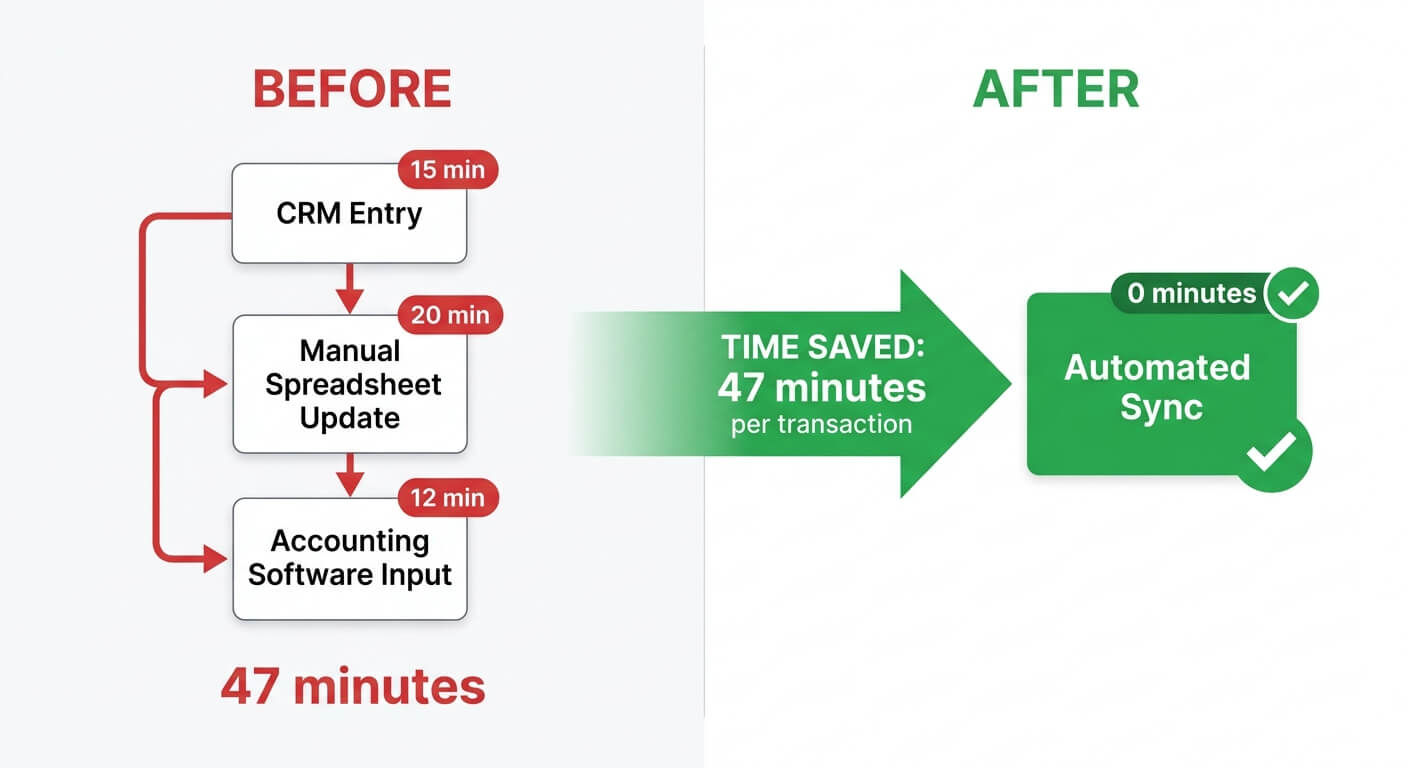 Automating the handoff between systems removes the manual steps in between
Step Four: Calculate the True Cost
Translate time waste into money. If your average fully-loaded employee cost is $35 per hour and someone spends 45 minutes a day on a fixable problem, that is $26.25 a day, or $131 per employee per week. Across a 20-person team that is about $136,500 a year on a single productivity drain. Substitute your own figures; the point is the order of magnitude, not the decimals.
This calculation matters because it justifies investment in solutions. A $2,000 software subscription or a $5,000 automation project sounds expensive until you compare it to the ongoing cost of the problem it solves.
Quick Wins That Reveal Bigger Patterns
Some productivity drains have obvious fixes. Address these first. The momentum builds support for tackling harder problems.
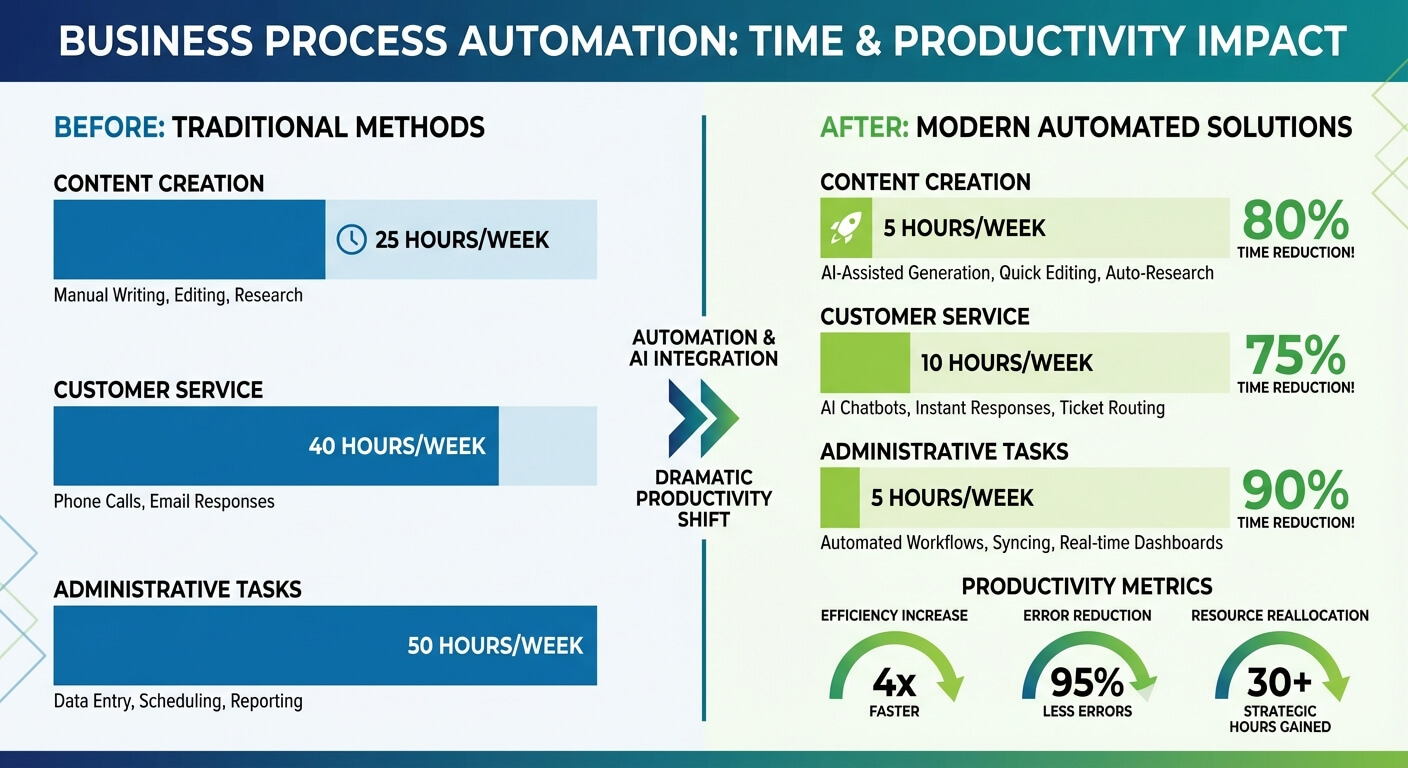
Eliminate duplicate data entry by connecting your core systems. When your CRM talks to your accounting software talks to your marketing platform, information flows automatically. One entry point, multiple uses.
Set communication boundaries by choosing specific channels for specific purposes. Urgent matters go to phone or direct message. Project updates go to dedicated channels. Email handles external communication. Enforce the rules until they become habits.
Batch similar tasks instead of handling them as they arrive. Process invoices at set times rather than throughout the day. Reply to non-urgent emails in two daily windows. Batching reduces context switching dramatically.
Audit your software stack for hidden costs and integration gaps. Many businesses pay for overlapping tools that don’t communicate. Consolidation reduces complexity and cost at the same time.
Building Systems That Prevent Future Drains
Operational blindness is the hard part. A process you designed, or inherited and normalised, is one you have largely stopped seeing, which is why the audit above leans on time-tracking and on asking your team rather than on your own judgement.
Finding current problems solves immediate issues. Building prevention into your operations stops new drains from forming.
Document every process as you optimise it. When someone invents a new workaround, it should raise a flag. Workarounds indicate process failures. They’re diagnostic signals, not permanent solutions.
Schedule quarterly process reviews. Set aside two hours every three months to examine your core workflows. What’s changed? What’s slowed down? Where are people struggling? Regular attention prevents accumulated drift.
Create feedback channels that people actually use. Anonymous suggestion systems rarely work. Instead make process improvement a standing agenda item in team meetings. Make questioning how things work normal.
Invest in automation for repetitive tasks before they become entrenched. The longer a manual process runs, the harder it becomes to change. People get comfortable. Resistance increases. Automate early.
The Compound Effect of Small Improvements
No single change transforms productivity overnight. But small improvements compound. Saving fifteen minutes here and twenty minutes there builds into hours weekly, days monthly, weeks annually.
The pattern I see most often is a handful of small problems, none of them individually worth a meeting, that together account for a meaningful share of a person’s week. None need major investment. All had been accepted as inevitable.
Start with your biggest obvious drain. Fix it. Measure the improvement. Then tackle the next one. The momentum builds, both in measurable results and in team enthusiasm for continuous improvement.
Frequently Asked Questions
How long does a thorough productivity audit take?
A comprehensive audit typically needs two to four weeks for meaningful data collection. Quick assessments can identify obvious problems within days. But hidden drains need observing actual work patterns over time. Plan for a week of time-tracking, a week of process shadowing, and a week of analysis and ranking.
What’s the average ROI on fixing productivity drains?
I am not going to quote you a percentage, because it depends entirely on what you are fixing and what it costs you today. The calculation depends on your specific circumstances, and doing it with your own numbers takes about twenty minutes. Returns do compound, because improvements free capacity for higher-value work.
Should I involve my team in identifying productivity problems?
Absolutely. Your team experiences daily friction that management never sees. Including them also builds ownership of solutions. However, frame the exercise carefully. Focus on process problems, not people problems. Make it safe to report waste without fear of criticism. The goal is understanding, not accountability.
What tools help identify productivity drains?
Time-tracking software like Toggl or Clockify provides objective data. Process mapping tools like Miro or Lucidchart show workflows visually. Workflow automation platforms like n8n or Zapier help identify integration opportunities. But the most powerful tool remains direct observation and honest conversation with your team.